Every scan is kept
Your first scan is your starting point. Each new one joins the same timeline, and you can compare any two.
Body Story
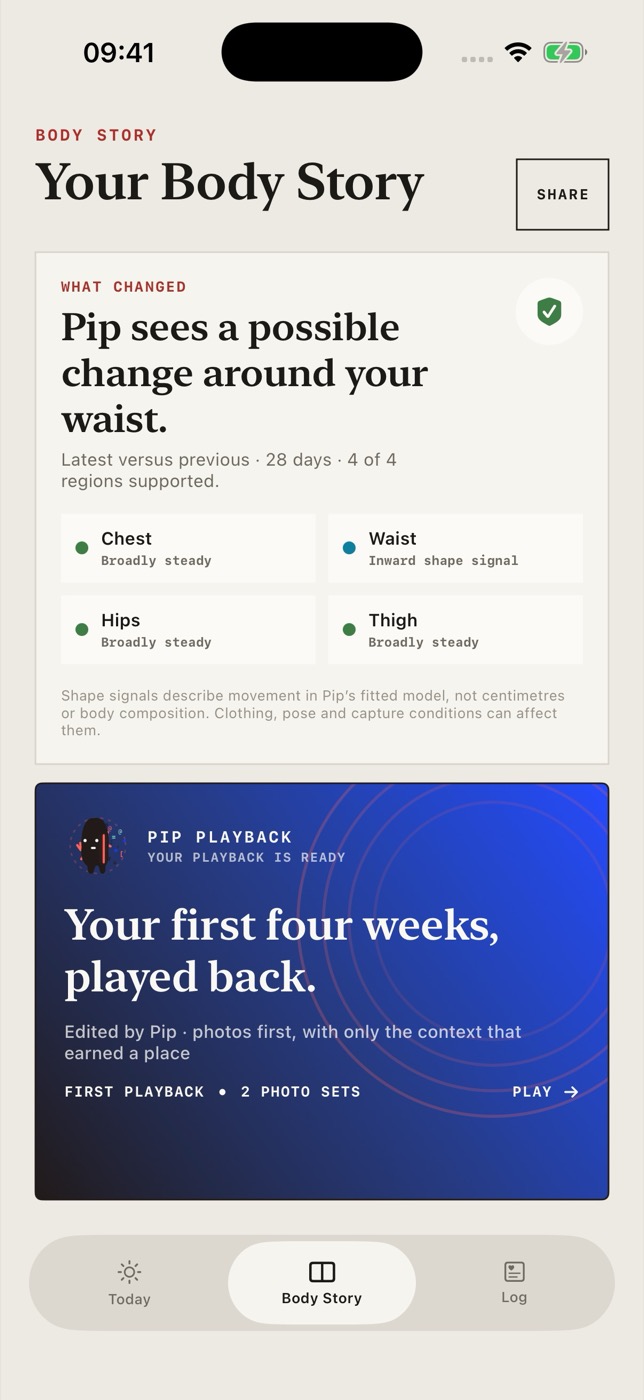
Each time you scan, Pip compares it with your earlier scans and shows which areas look different. Your weight and shot dates from the same weeks sit alongside.
Comparing scans
Pip lines up the two 3D models so you can drag between them. Underneath, it marks each area as about the same or changed. Tap an area to see it.
Narrower than on 20 Oct. Check the photos side by side in the app.
Waist moved in since last time. I noticed.
Example data. Changes come from Pip’s 3D model, not tape-measure readings.
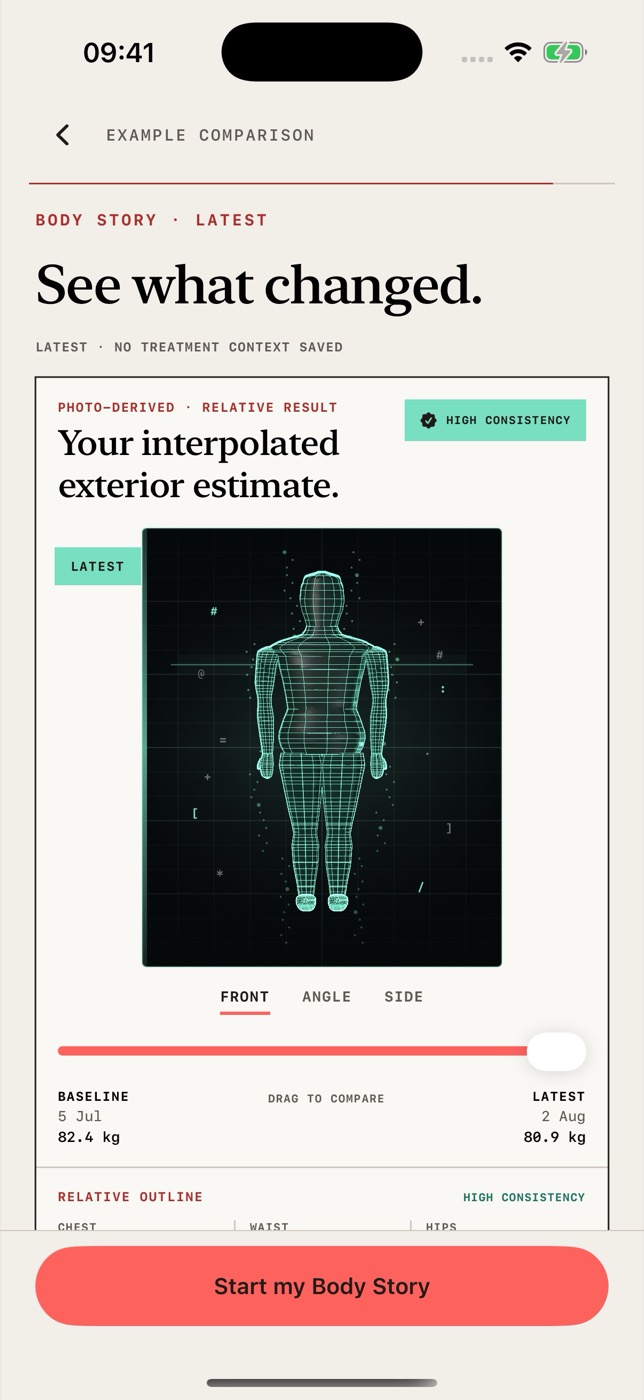
Everything Pip knows about each scan stays together, so you can always go back and check where a result came from.
Your first scan is your starting point. Each new one joins the same timeline, and you can compare any two.
Pip looks at your chest, waist, hips and thighs and tells you which look different and which look about the same.
Each scan sits next to the weight and shots you logged that week, so you can see what was going on at the time.
When your photos allow it, Pip also shows an estimated body-fat range and waist size. Both are estimates from photos.
Accuracy
Pip compares the shape of two 3D models built from photos. A change can be real, or it can come from different clothing, pose or light.
To keep comparisons fair, scan in the same spot and similar clothes each time. You can always open the photos behind both scans and look for yourself.
How Pip builds and checks its estimates
It’s coming to the App Store for iPhone. Your first scan will be free to take, and you’ll need a membership to see your results.