Every shot
Log each one as taken or skipped, with the date, time and amount in mg, mcg, mL or units. Edit or delete an entry later.
Peptide tracker app
Pip Body Scan is a peptide tracker app for iPhone. You log each shot with the dose, time and injection site, note side effects and appetite each day, and add your weight. Once a week, four photos become a 3D model of your body, so you can see your shape change alongside your treatment.
Updated
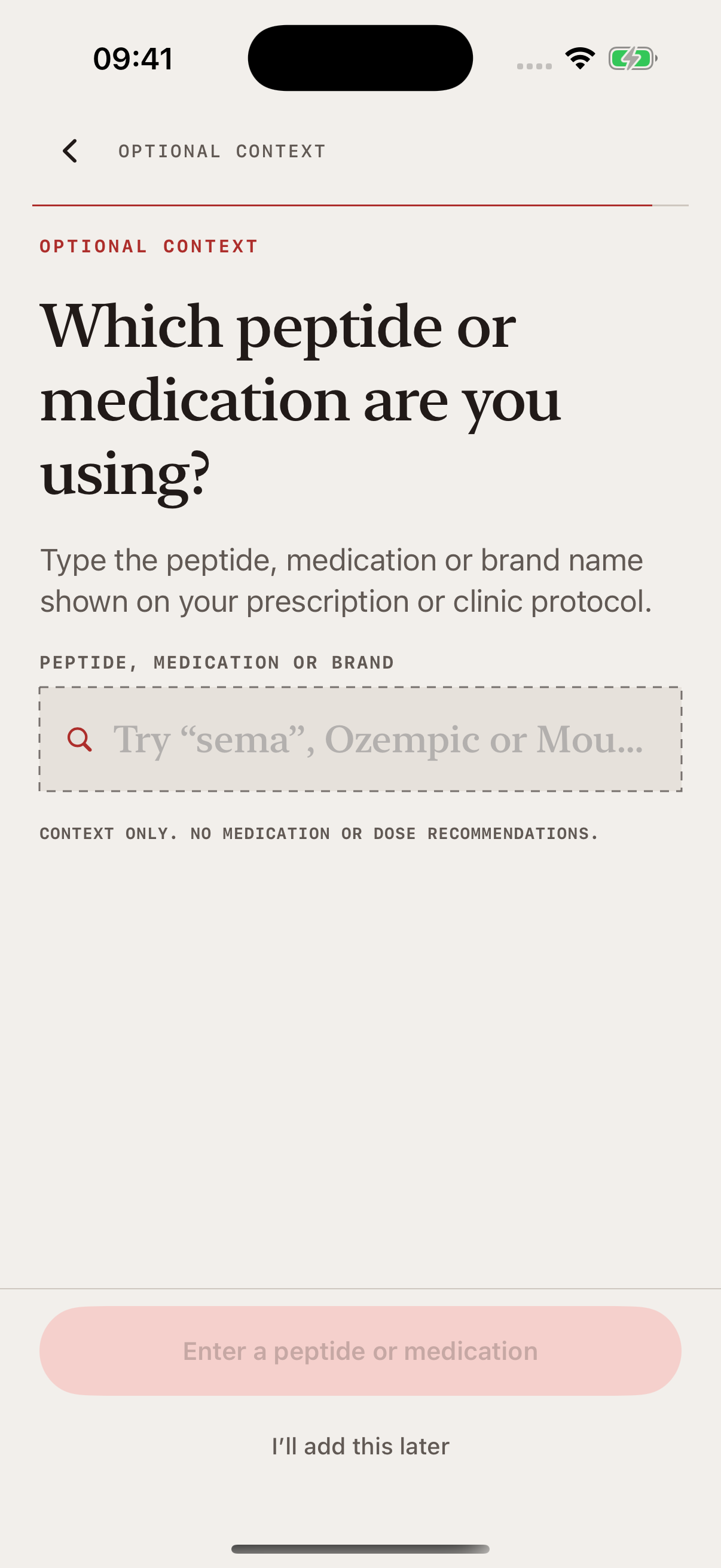
Log as much or as little as you like. Each entry sits on the same timeline as your scans.
Log each one as taken or skipped, with the date, time and amount in mg, mcg, mL or units. Edit or delete an entry later.
Tap the site on a front and back body map. Pip shows where you injected last. Note soreness, redness, swelling or bruising.
A daily check-in records how you feel, your appetite and symptoms such as nausea, tiredness, headaches or constipation.
Add your weight by hand or from Apple Health. Once a week, four photos become a 3D model of your body.
Common GLP-1s are built in. For anything else, type the name and Pip saves it. You choose how often you take it: every day, every week or every two weeks.
Add up to 12 treatments, say which day of treatment you’re on, and archive ones you’ve stopped. Pills and creams can be logged as well as injections.
Once you’ve set how often you take something and logged it once, Pip can remind you at 9:00 on the day the next one is due. The reminder never names your medicine.
A chart marks your shot days against how you felt. After a few weeks of check-ins, Pip notes which day after a shot you tend to feel lowest. It doesn’t diagnose or say your treatment caused it.
Example data.
What Pip won’t do
Pip Body Scan is a progress tracker, not a medical device. It doesn’t give dosing advice, set your schedule or pick your next injection site. Your prescriber sets your dose.
Body-fat and waist figures are AI estimates, not medical measurements. Pip doesn’t measure muscle, and it can’t tell you what a treatment did to your body. It shows your body change alongside your treatment.
How Pip builds and checks its estimatesFree guides and calculators on pippeptide.com. The calculators are web tools only. They aren’t in the app.
Build a record you can repeat, without turning every day into a test.
↗GuideWhat to write down for each entry, and why timing matters.
↗GuidePick a rhythm you can keep, with enough time between check-ins.
↗Free web toolWork out concentration and volume, and see the printed line on your syringe.
↗Free web toolConvert between mcg, mg, mL and U-100 units.
↗Free web toolSee where a number of units lands on the barrel.
↗Short answers about tracking peptides in Pip Body Scan.
Any treatment you name. Pip has semaglutide, tirzepatide, liraglutide, dulaglutide, tesamorelin and retatrutide (labelled investigational) built in. For anything else, type the name and Pip saves it. You can add up to 12 treatments.
You can log any name you type. Ask Pip won’t help you buy, source, mix or prepare research peptides, and Pip doesn’t list them as supported.
No. Pip Body Scan is a progress tracker, not a medical device. It records the dose you enter but doesn’t give dosing advice, set a schedule or suggest an injection site. Your prescriber sets your dose.
No. The reconstitution calculator, dose converter and syringe visualiser are free web tools on pippeptide.com. They aren’t part of the Pip Body Scan app, and you don’t need the app to use them.
No. You can take your first scan for free, but the results stay hidden until you join. Membership is weekly or monthly through your Apple ID, and you can cancel in your Apple subscription settings.
It’s coming to the App Store for iPhone. Your first scan will be free to take, and you’ll need a membership to see your results.