Shots
Log each shot as taken or skipped, with the date, time and dose in mg, mcg, mL or units. Fix or delete an entry later.
GLP-1 tracker app
Pip Body Scan is a GLP-1 tracker for iPhone. It logs each shot with the dose and injection site, your side effects and appetite, and your weight. It can remind you to log your next shot. Once a week, four photos become a 3D model of your body, so you see more than the scale.
Updated
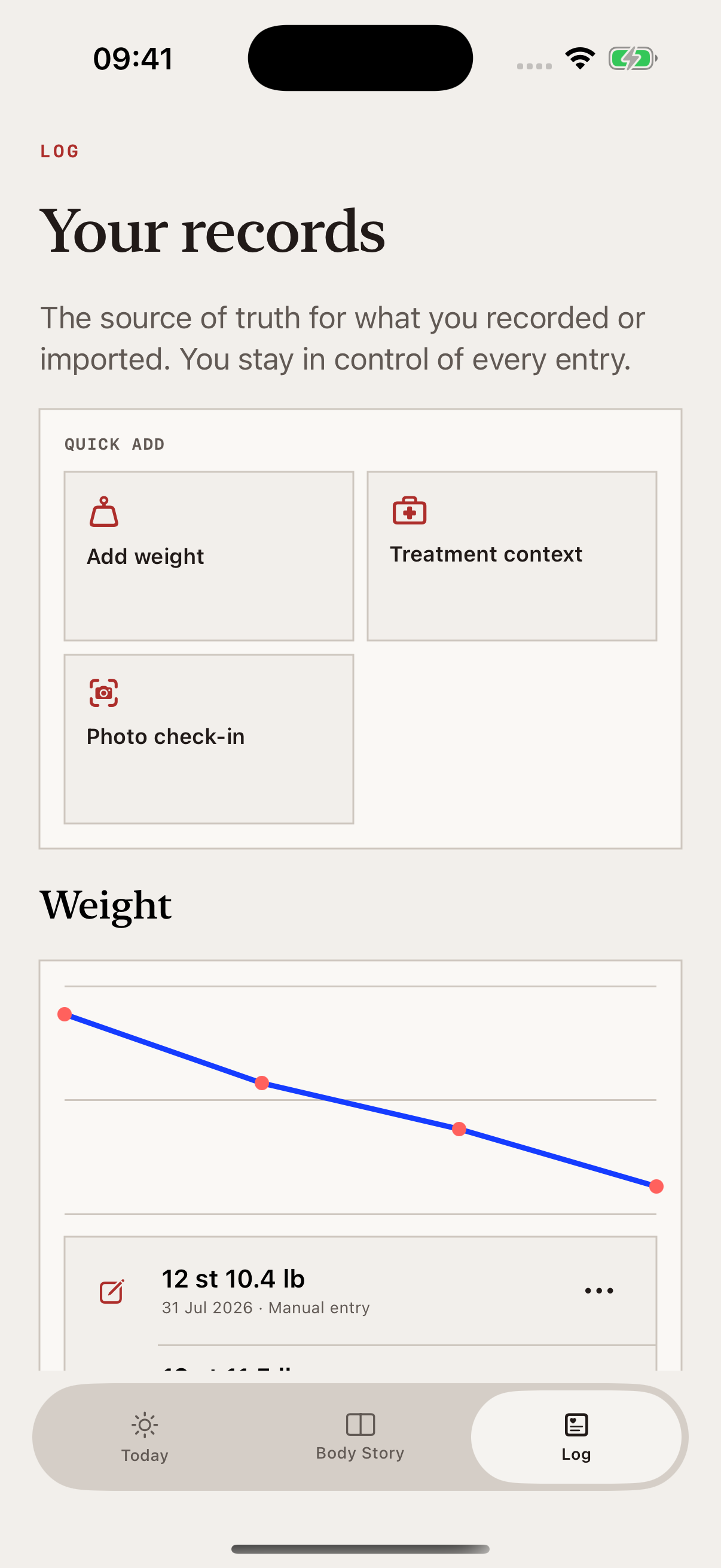
Shots, sites, side effects, reminders, weight and your body scan all sit on the same timeline.
Log each shot as taken or skipped, with the date, time and dose in mg, mcg, mL or units. Fix or delete an entry later.
Tap the site on a body map: abdomen, thigh, upper arm or glute, left or right. Pip shows your last site. Note any soreness, redness, swelling or bruising.
A daily check-in records how you feel, your appetite and symptoms such as nausea, constipation, heartburn or tiredness.
Set how often you take it and log one shot. Pip reminds you at 9:00 on the day the next one is due. The lock screen never names your medicine.
Type it in kg, lb or stone, add a screenshot of your scale app, or bring in your latest weight from Apple Health.
Once a week, four photos become a 3D model of your body. Compare it with earlier weeks in Body Story.
A chart marks your shot days against your daily check-ins. After a few weeks, Pip notes which day after a shot you tend to feel lowest.
The daily check-in takes a few seconds. Pick how you feel, how hungry you are and any symptoms. Pip doesn’t diagnose symptoms or say your treatment caused them.
If a side effect is severe or won’t go away, speak to your prescriber or pharmacist.
More on side effectsExample data.
Weekly body scan
Once a week, Pip talks you through four photos: front, both sides and back. They become a 3D model of your body, with an estimated waist and body-fat range.
Compare any two weeks side by side, overlaid or with a slider. Body-fat and waist figures are AI estimates, not medical measurements.
How the 3D body scan works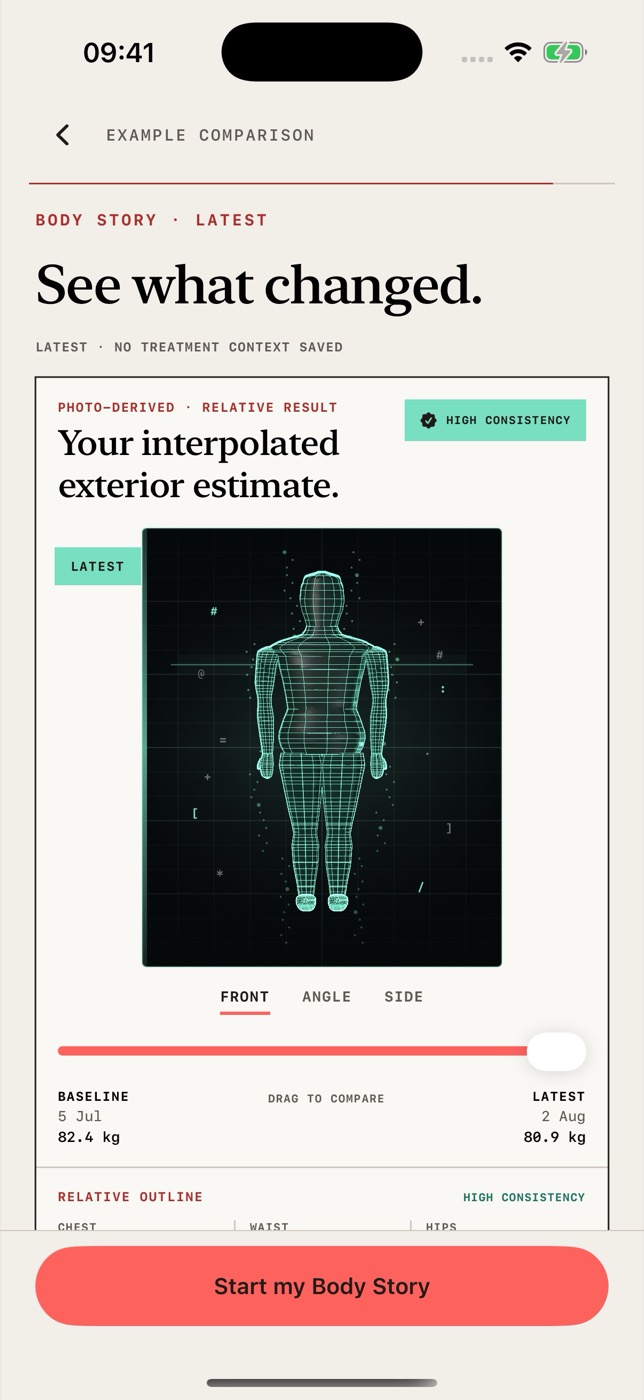
What Pip won’t do
Pip Body Scan is a progress tracker, not a medical device. It doesn’t give dosing advice, set your schedule or suggest a calorie target. Your prescriber sets your dose.
Pip can’t tell you what your medicine did. It shows your body change alongside your treatment, so you have a clearer record to talk through with your prescriber.
How Pip builds and checks its estimatesFeature pages, guides and free web tools. The calculators live on pippeptide.com, not in the app.
Log where each shot went and see your last site.
↗FeatureA daily check-in for symptoms, appetite and how you feel.
↗GuideUse weight as one part of the record, not all of it.
↗Free web toolWork out concentration and volume, and see the printed line on your syringe.
↗Free web toolConvert between mcg, mg, mL and U-100 units.
↗Free web toolSee where a number of units lands on the barrel.
↗Short answers about tracking GLP-1s in Pip Body Scan.
No. Pip Body Scan is for iPhone only and needs iOS 17 or later. There’s no Android, iPad or Mac app. Android is planned, but there’s no date yet.
No. The reconstitution calculator, dose converter and syringe visualiser are free web tools on pippeptide.com. They aren’t part of the Pip Body Scan app, and you don’t need the app to use them.
Yes. Semaglutide (Ozempic, Wegovy), tirzepatide (Mounjaro, Zepbound), liraglutide (Victoza, Saxenda) and dulaglutide (Trulicity) are built in. You can type any other name and Pip saves it.
No. Pip Body Scan is a progress tracker, not a medical device. It records the dose you enter but doesn’t give dosing advice, set a schedule or suggest an injection site. Your prescriber sets your dose.
No. You can take your first scan for free, but the results stay hidden until you join. Membership is weekly or monthly through your Apple ID, and you can cancel in your Apple subscription settings.
It’s coming to the App Store for iPhone. Your first scan will be free to take, and you’ll need a membership to see your results.