GLP-1 tracking
How do I track my GLP-1 treatment?
Keep a simple record you can repeat. Log each shot with the dose and site, note side effects and appetite, and weigh in at a steady rhythm. Add matched photos, because the scale can’t show changes in shape. Pip Body Scan does all of this on iPhone, and our free web tools help with unit and syringe maths.
Updated
- App features
- Free web tools
- Guides and comparisons
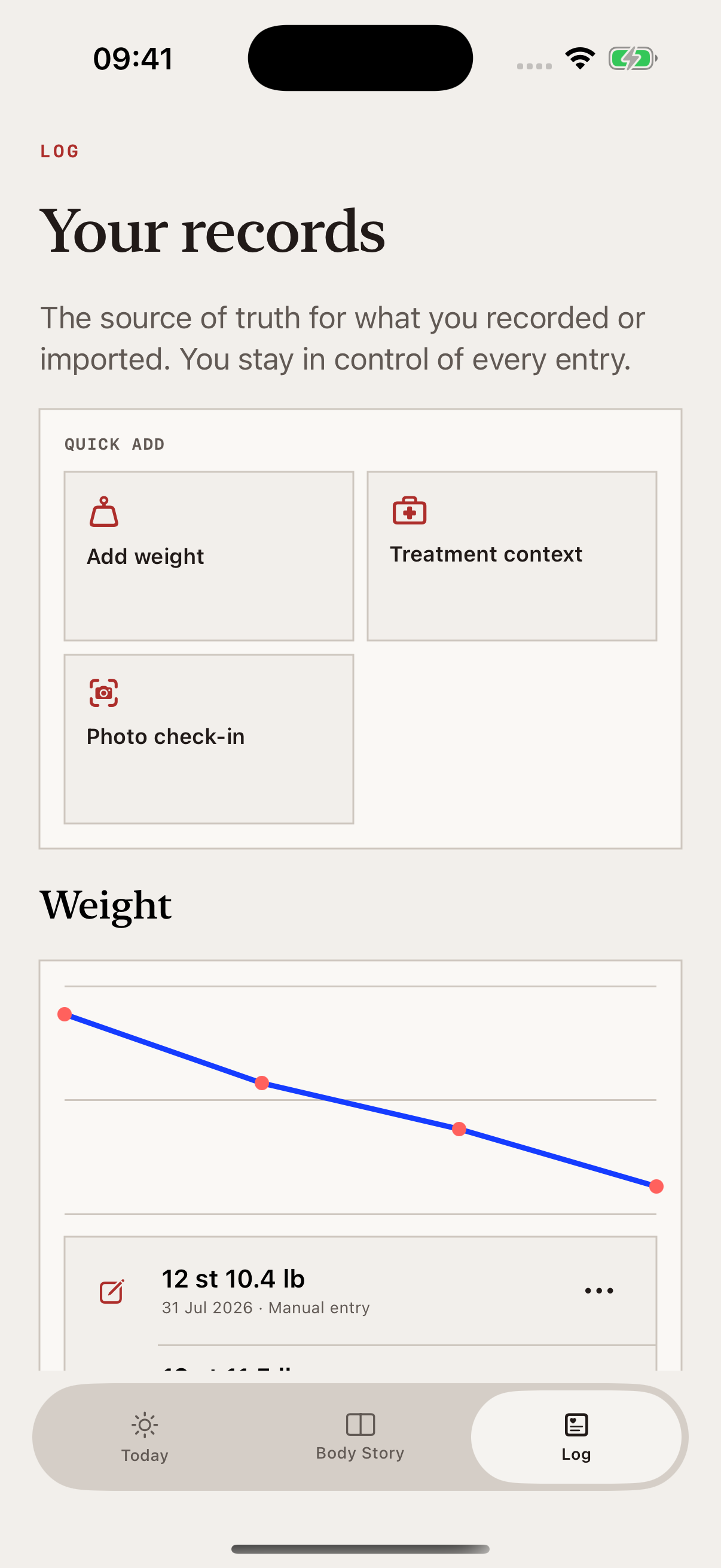
Track it in Pip Body Scan
What the app does for GLP-1s and peptides, one page per feature.
GLP-1 tracker app
Shots, sites, side effects, reminders, weight and your body scan in one place.
↗AppPeptide tracker app
What Pip Body Scan logs for peptides, and what it won’t do.
↗Feature3D body scan
How four photos become a 3D model of your body, and its limits.
↗FeatureInjection site tracker
Log where each shot went and see your last site.
↗FeatureSide effect tracker
A daily check-in for symptoms, appetite and how you feel.
↗FeatureProgress photo tracker
Four guided photos a week, matched to your first pose.
↗FeatureWaist tracker
An estimated waist from your photos, week to week.
↗FeatureBody Story
Your weekly scans, lined up so you can compare them.
↗FeatureJourney and Ask Pip
Everything you log on one timeline, and questions answered.
↗Free web tools
Arithmetic tools that show their working. They’re on pippeptide.com only, not in the app, and they don’t tell you what dose to take.
Reconstitution calculator
Work out concentration and volume, and see the printed line on your syringe.
↗Free web toolDose converter
Convert between mcg, mg, mL and U-100 units.
↗Free web toolSyringe visualiser
See where a number of units lands on the barrel.
↗All toolsPip tools
Every calculator in one place.
↗Guides
Practical, plain-English guides to keeping a record you can compare.
How to track GLP-1 progress beyond the scale
Use weight as one part of the record, not all of it.
↗GuideWhat to track beyond body weight
A small set of signals that add context to a weight trend.
↗GuideHow often should you check in?
Pick a rhythm you can keep.
↗GuideHow to keep a useful treatment log
What to write down for each entry.
↗GuideHow to take consistent progress photos
Light, clothing and camera position, kept the same.
↗GuideHow to track changes around your waist
Keep the conditions the same so changes are easier to read.
↗All guidesPip Learn
Every guide in one place.
↗Compare and learn more
See how Pip Body Scan stacks up, and what’s behind it.
Medical questions
Your prescriber sets the plan.
Pip Body Scan is a progress tracker, not a medical device. It doesn’t diagnose, give personal dosing advice or tell you what a medicine did to your body.
Questions about dose, side effects, suitability or changing treatment belong with your prescriber or another qualified healthcare professional.
How Pip builds and checks its estimatesQuestions
Short answers about Pip Body Scan and GLP-1s.
Is Pip Body Scan on Android?
No. Pip Body Scan is for iPhone only and needs iOS 17 or later. There’s no Android, iPad or Mac app. Android is planned, but there’s no date yet.
Are the calculators in the app?
No. The reconstitution calculator, dose converter and syringe visualiser are free web tools on pippeptide.com. They aren’t part of the Pip Body Scan app, and you don’t need the app to use them.
Will Pip tell me what dose to take?
No. Pip Body Scan is a progress tracker, not a medical device. It records the dose you enter but doesn’t give dosing advice, set a schedule or suggest an injection site. Your prescriber sets your dose.
Pip Body Scan is coming soon.
It’s coming to the App Store for iPhone. Your first scan will be free to take, and you’ll need a membership to see your results.